replace-your-pushed-products
How to replace your pushed product with a new one
-
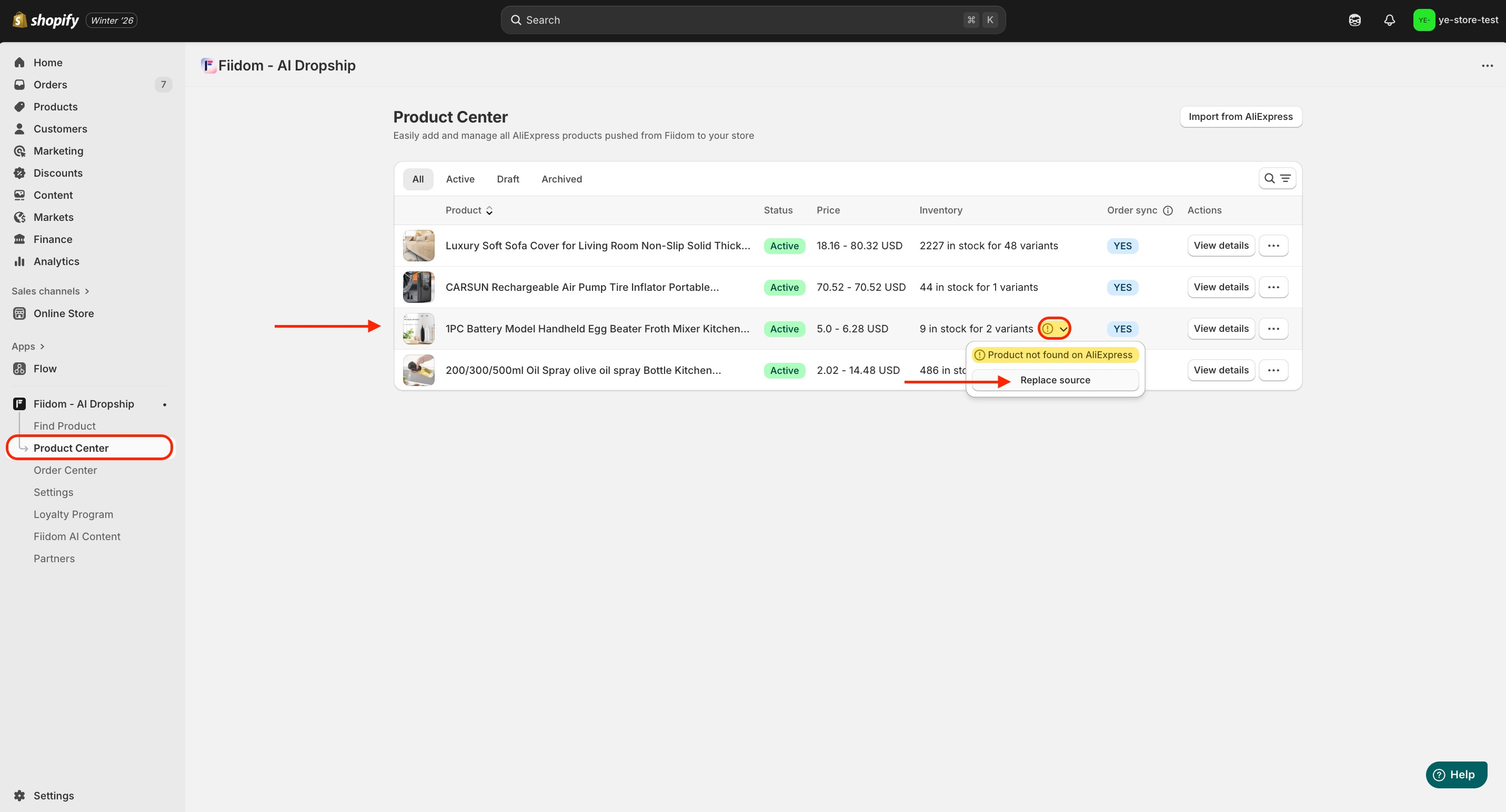
Login to Fiidom > Product Center.
-
Navigate to the product card > Click the dropdown arrow on the yellow alert.
-
Select Replace Source.
-
In the Pop-up, select replacement type you want to replace:
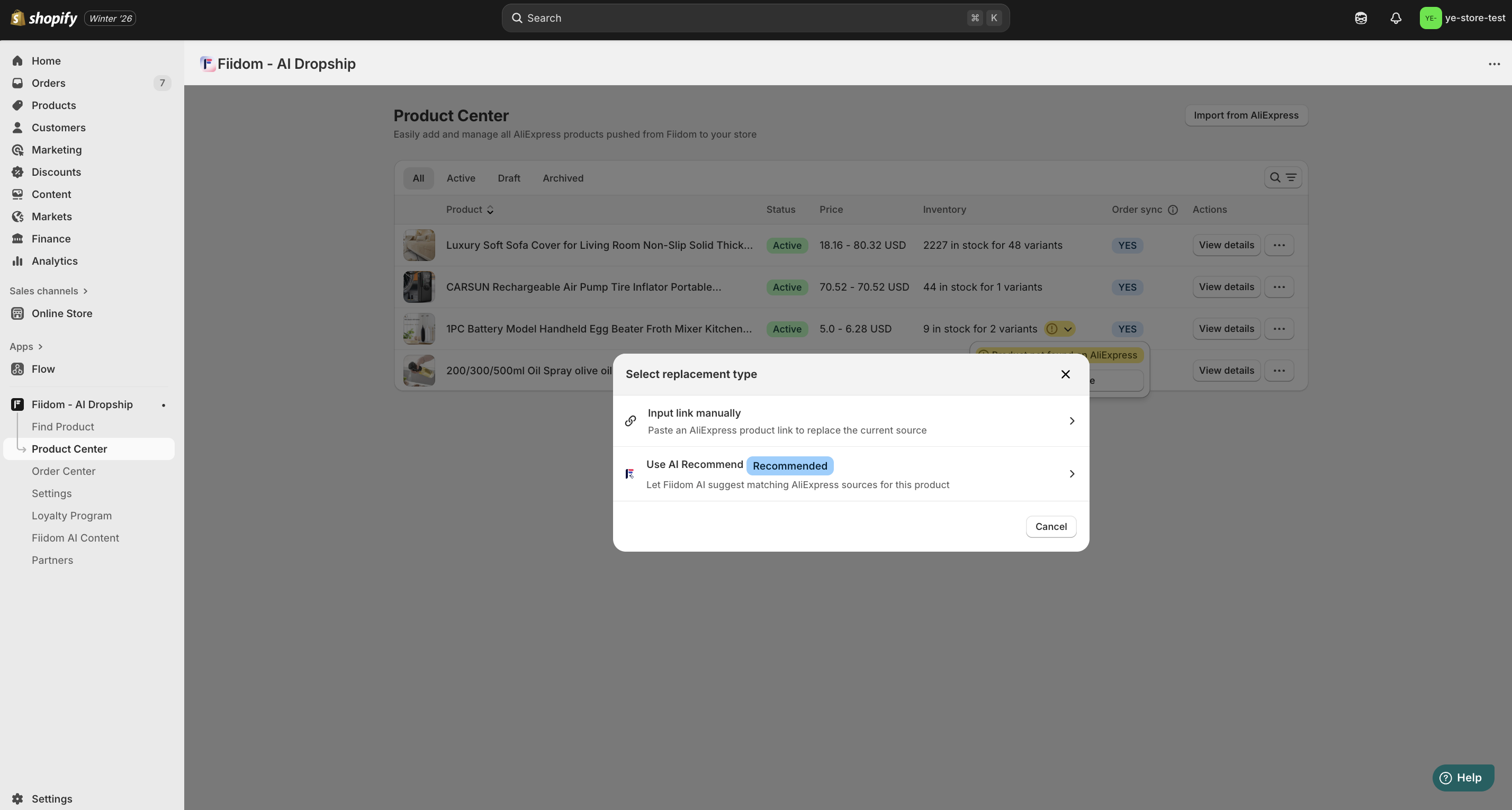
- If you choose an Input link manually option, paste the AliExpress product URL in the box.
- If you choose to use the AI Recommend, wait for the system to verify and map a new the product URL.
-
In the Replace Source window, modify corresponding variants.
-
Click Save for new changes.
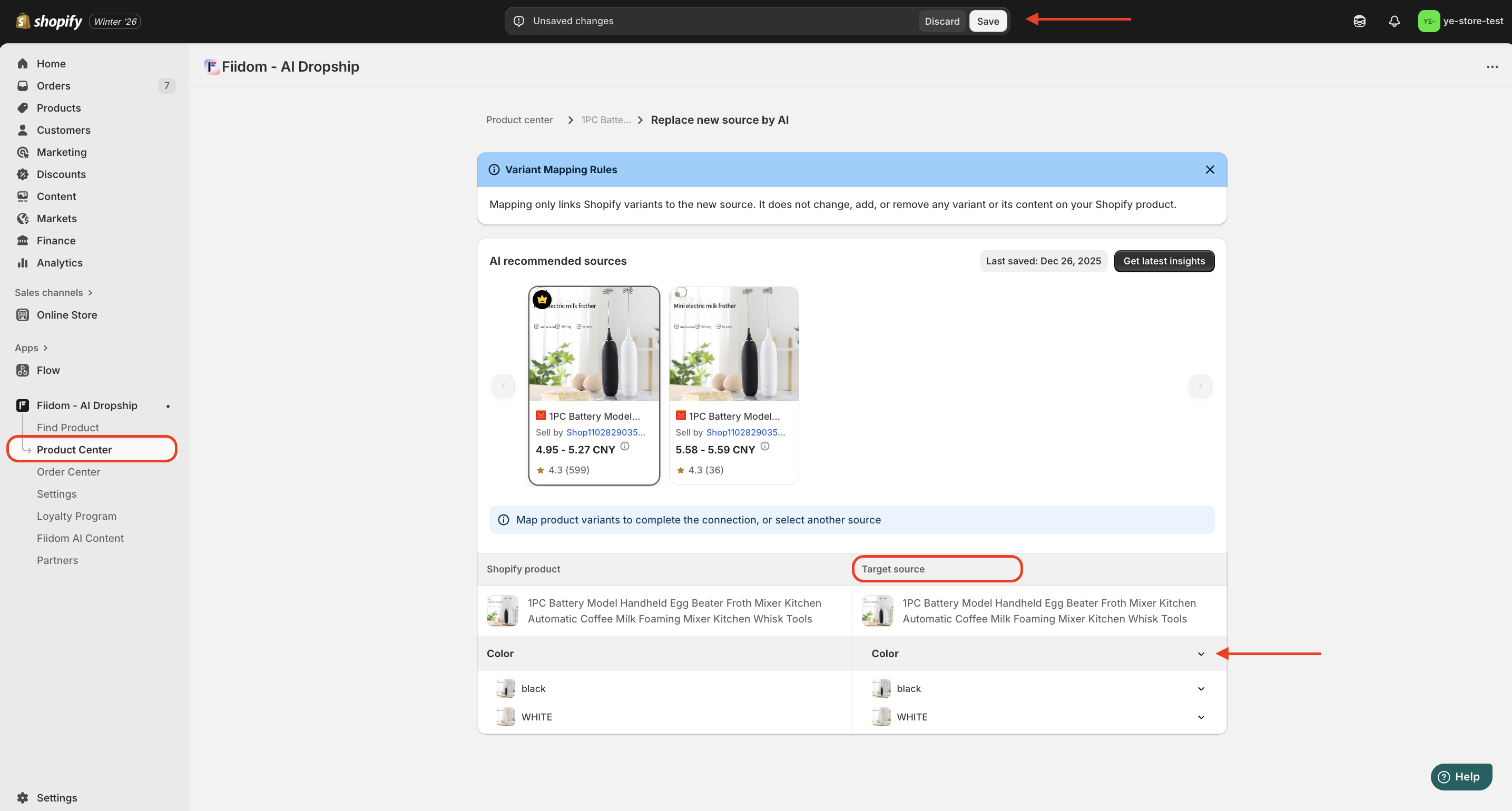
Now Fiidom AI Dropship will help you re-push the new product to Shopify, and this update will apply to any current orders containing the product as well as all future orders.
Should you need any further information, please do not hesitate to contact us directly at [email protected]